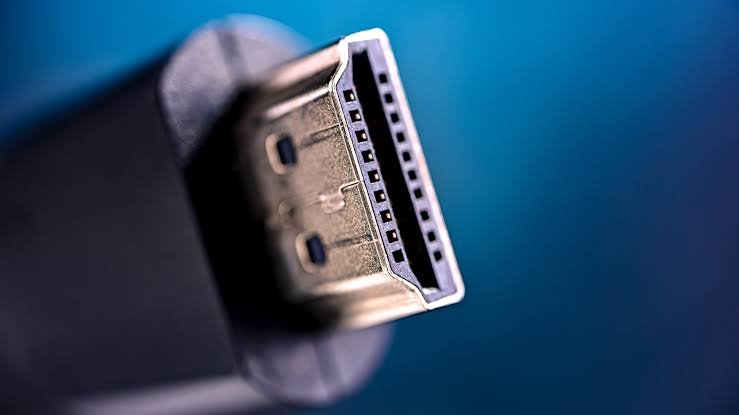

HDMI ARC stands for Audio Return Channel. It is a feature of certain HDMI ports that lets your TV send sound back out through the same cable, so a soundbar or receiver can play it. You skip the extra audio wire and run just one cable between the two devices.
Below, you will see how ARC works, how it differs from eARC, how to set it up, and what to check when the sound cuts out.
What does HDMI ARC stand for?
ARC is short for Audio Return Channel. The name describes the job: audio takes a return trip. HDMI normally carries picture and sound from a device, such as a game console, into your TV. ARC sends sound the other way, from the TV out to your speakers.
The feature arrived in 2009 with HDMI 1.4. Before that, a TV with a soundbar usually needed two cables: HDMI for the picture and a separate optical or analog cable for the sound. ARC folded that second cable into the first. Most TVs sold today have at least one ARC-ready port.
You will usually find the label printed beside the port, written as “HDMI ARC” or “HDMI (ARC)”. Often only one port on the TV has it. The others are plain HDMI inputs.
Quick check: look for the letters ARC or eARC next to an HDMI port on your TV and on your soundbar. Both ends must use an ARC port for the feature to work.
How does HDMI ARC work?
Picture an HDMI cable as a road where traffic normally flows one way, from your devices into the TV. ARC adds a lane going back.
Here is a common case. You stream a show using an app built into your smart TV. The sound starts inside the TV, not in a box you plugged in. ARC carries that sound out through the HDMI cable to your soundbar, which plays it. The same path works for sound from the TV’s antenna or cable tuner.
Other devices still plug into the TV as usual. A console or streaming stick connects to a regular HDMI input. Its sound reaches the TV first, and ARC then passes it on to your speakers.
ARC usually works together with HDMI-CEC, a feature that lets devices on one HDMI connection control each other. With both turned on, your TV remote can change the soundbar volume, and the soundbar can switch on when the TV does. Brands give CEC their own names, such as Anynet+ on Samsung, Bravia Sync on Sony, and SimpLink on LG.
The two are different things. ARC moves the audio. CEC moves the control signals. You want both on for the smoothest setup.
What sound formats does HDMI ARC support?
ARC carries about 1 Mbps of audio data. That covers regular stereo and compressed surround sound such as Dolby Digital and DTS 5.1. For TV shows, sports, YouTube, and most streaming, that is plenty.
Dolby Atmos is where it gets tricky. Streaming apps can send Atmos in a compressed form called Dolby Digital Plus, and some TV and soundbar pairs pass that through ARC. The lossless Atmos on 4K Blu-ray discs uses Dolby TrueHD, which needs more room than ARC has. For that, you need eARC.
To hear Atmos at all, three things must line up. The content has to include it, the TV has to pass it along, and the soundbar has to decode it.
What is eARC, and how is it different?
eARC stands for Enhanced Audio Return Channel. It does the same job as ARC with far more room. Audio bandwidth jumps from about 1 Mbps to 37 Mbps. That is enough for uncompressed 5.1 and 7.1 sound, up to 32 channels, and audio at up to 192 kHz and 24-bit depth.
That covers lossless formats such as Dolby TrueHD and DTS-HD Master Audio, plus object-based formats such as Dolby Atmos and DTS:X. You can read the full format list on the official HDMI eARC page.
| Feature | ARC | eARC |
| Introduced with | HDMI 1.4 (2009) | HDMI 2.1 |
| Audio bandwidth | About 1 Mbps | Up to 37 Mbps |
| Surround sound | Stereo and compressed 5.1 | Uncompressed 5.1 and 7.1, up to 32 channels |
| Dolby Atmos | Compressed (Dolby Digital Plus), in some setups | Full, including lossless Dolby TrueHD |
| DTS:X and DTS-HD Master Audio | No | Yes |
| Cable | HDMI cable, version 1.4 or newer | Premium High Speed or Ultra High Speed |
Both ends of the connection must support eARC to get the upgrade. Many eARC devices also support ARC, so a new soundbar can usually pair with an older TV, but the link runs at ARC level. If any device in the chain only handles ARC, the whole connection falls back to ARC limits.
So does it matter for you? If you mostly watch streaming shows in stereo or 5.1, ARC is fine. If you play 4K Blu-ray discs, or you own an Atmos soundbar or receiver, use eARC. It also adds automatic lip-sync correction, which helps when voices drift out of step with the picture.
Should you use ARC or an optical cable?
Optical cables handle stereo and compressed 5.1, but they cannot carry Atmos or lossless formats. ARC matches them for everyday viewing, goes further with the right setup, and adds one-remote control through CEC.
Optical makes sense only when your TV or soundbar has no ARC port. Otherwise, use ARC, or eARC if both devices have it.
How do you set up HDMI ARC?
- Find the ARC port on your TV. Check the labels beside the HDMI ports.
- Find the matching port on your soundbar or receiver. It is often marked “HDMI OUT (ARC)” or “TV (ARC)”.
- Connect the two ports with one HDMI cable.
- Turn on HDMI-CEC in the TV settings, and check that it is on for the soundbar too.
- Set the TV’s sound output to HDMI ARC, external speaker, or receiver, depending on the menu wording.
- Switch the soundbar to its ARC or TV input, then play something and test the volume with the TV remote.
What cable do you need for HDMI ARC?
A High Speed HDMI cable, version 1.4 or newer, is enough for ARC. You probably own one already.
For eARC, use a Premium High Speed or Ultra High Speed cable. Premium High Speed suits setups up to 18 Gbps, and Ultra High Speed goes up to 48 Gbps. Either gives eARC its full audio quality, so pick by your video needs, such as 4K at 120 Hz for gaming. The HDMI eARC cable guide explains the difference.
Check the box for the official certification label. You can scan it with the free HDMI Cable Certification app to confirm the cable is genuine.
Why is HDMI ARC not working?
No sound, or sound that keeps dropping, usually comes from a setting or a failed handshake between devices. Work through these checks in order:
- Check the ports. Both the TV and the soundbar must use their ARC or eARC port, not a plain HDMI one.
- Turn HDMI-CEC off and on again on both devices. This forces them to find each other.
- Check the sound settings. The TV output should point to HDMI ARC, and the soundbar should be on its ARC or TV input.
- Reseat the cable at both ends, or try a different certified cable.
- Power cycle everything. Switch off the TV and soundbar, unplug both for about 30 seconds, then plug them back in.
- Unplug extras. An HDMI switch or a set-top box between devices can break the CEC link. Remove it to test.
- Update the firmware on the TV and the soundbar.
If the sound works but voices run late, look for an audio delay or lip-sync setting on the TV or soundbar.
Conclusion
HDMI ARC means Audio Return Channel. It lets your TV send its sound to a soundbar or receiver through the HDMI cable that already connects them. Plug both devices into their ARC ports, turn on CEC, and set the TV sound output to HDMI. ARC handles stereo and compressed 5.1. For lossless Atmos and DTS:X, you need eARC and a certified cable. A good result is simple: one cable, one remote, and clean sound.
Frequently asked questions
Is HDMI ARC the same as HDMI CEC?
No. ARC sends audio from the TV to your speakers. CEC lets devices control each other, such as using one remote for the TV and soundbar volume. They are separate features, and ARC setups usually need CEC turned on.
How do I know if my TV has HDMI ARC?
Look for “ARC” printed beside one of the HDMI ports on the back or side of the TV. If you cannot find it, check the manual or the spec sheet. Most TVs made in the last decade have at least one.
Can I use any HDMI port for ARC?
No. Only the port labeled ARC or eARC works, and it must be matched on the soundbar or receiver too. A plain HDMI input on either device will pass picture and sound but cannot send audio back.
Does HDMI ARC support Dolby Atmos?
Sometimes, in a compressed Dolby Digital Plus form, if the TV, app, and soundbar all support it. Lossless Atmos from 4K Blu-ray discs (Dolby TrueHD) needs eARC because ARC does not have enough bandwidth.
Does an eARC soundbar work with an ARC-only TV?
Most eARC soundbars also support ARC, so they usually connect fine. The link then runs at ARC limits, which means no lossless Atmos or DTS:X. Plug into the TV’s ARC port and check the soundbar’s manual.
Related Articles
MacBook Air vs Pro (2026): Which Should You Buy?



Pingback: iPad Dimensions: Every Current Model Measured and Compared